


ParentSquare
4.312.72K Reviews
App Specs
- Version
- 2.112.0
- Updated On
- License
- Free
- Downloads
- 1,000,000+
- Developer
- ParentSquare
- Categories
- Education
- Platform
- Android, iOS
Screenshots
 Analysis by AppCompare
I find ParentSquare most useful when a school has made it the main place for family communication. It can bring messages, event information, forms and school-community updates together, so parents have fewer places to check. The catch is that it works best when the school actually uses it consistently; installing the app alone won’t replace every email, paper notice or separate school system.
Who benefits most from having one school hub
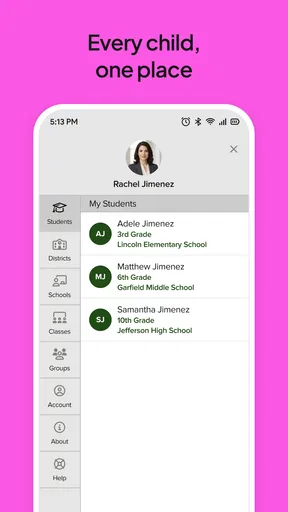
For a family with children in different classes, the practical benefit is less about any single feature and more about reducing the hunt for information. A teacher’s note, a school-wide announcement and an event reminder can be easier to follow when they arrive through the same school communication channel. I’d especially consider it if you regularly miss details buried in a crowded inbox or have several caregivers who need to stay informed.
It is also useful for school staff who need to reach families without relying on a chain of forwarded messages. A school can use one channel for broad announcements and more targeted communication, while families have a place to respond or check what was shared. That does not mean every school will use every available tool, so I would treat the school’s own communication habits as part of the experience.
A realistic week with the app
Picture a busy weekday: a message arrives about a change to an after-school activity, and later you need to respond to a classroom request or remember an upcoming school event. The advantage of having those communications in one school-focused space is that you can check them alongside other school updates rather than searching several email threads. If a form or permission slip is shared there, handling it from your phone can also prevent it from getting lost in a child’s backpack.
My practical tip is to decide how you’ll use notifications before the school year gets hectic. Keep alerts on for the kinds of updates you genuinely need to act on, and make a routine of checking the app at a set time if you prefer fewer interruptions. Otherwise, frequent school messages can become one more stream competing for attention. It is also worth checking that the right caregiver account and child information are connected, particularly in households where more than one adult shares school responsibilities.
How it differs from email and class chats
Email remains a sensible choice for longer conversations, messages that need to be archived with other work correspondence, or communication with a school that does not use this platform. Group chats can be quick, but they can also mix official notices with personal conversation, and important details may disappear into a busy thread. A school-centered app is a better fit when the school uses it as an organized, official route for notices and family participation.
That distinction matters: this is not automatically a replacement for every school portal, learning platform or teacher’s preferred method. I would follow the school’s instructions about where grades, assignments or urgent issues belong rather than assuming they all appear here. If your main need is course materials or academic tracking, a dedicated learning platform may be more appropriate; if your school has not adopted ParentSquare, ordinary email or its existing communication tools may serve you better.
Worth Reading Before You Choose

EA SPORTS FC Mobile 26 Is a Bigger Football Game, but It Takes Time

Flipboard Shows What News Apps Must Do Beyond the Feed

Switching to Android Auto Means Rethinking Your Driving Routine

Google Calendar Makes a Crowded Week Easier to Manage

Ludo King Makes the Most of the Minutes Between Plans

Baby Panda World Brings Quick Play to Modern Phones, but Its Game Library Feels Busy
Small habits that make communication easier
When a message arrives, I would separate “read for awareness” from “needs a response.” A quick reply may be enough for a simple question, while a sensitive concern is usually better handled through the channel the teacher or school recommends. Keeping those conversations focused helps the app remain useful instead of turning into a running family group chat.
For shared caregiving, agree on who will respond to forms or volunteer requests and who will keep an eye on time-sensitive notices. That avoids duplicate replies and the familiar confusion of each adult assuming the other has handled something. If the app offers language translation for a message, it can help a family understand school communication, but I would still read important names, dates and instructions carefully before acting on a translated version.
Where the experience can be less smooth
The main limitation is dependence on school adoption and consistent use. If one teacher posts in the app, another relies on email and a separate office sends paper reminders, families still have to monitor more than one place. That is not a flaw a parent can fix from the phone; it is a reason to ask the school which channel is considered authoritative for each type of update.
There is also a balance to strike between being reachable and being constantly interrupted. School communications can include routine information as well as messages that need attention, and a stream of alerts may feel noisy during work or family time. I would adjust notification settings to match your routine, then check the app deliberately rather than treating every alert as an emergency. For a genuinely urgent matter, use the contact method the school identifies for urgent situations instead of assuming an app notification will be seen immediately.
What to check before relying on it
Before depending on the app for a deadline, confirm with the school that the relevant class or office is using it and that your account is connected to the correct student. If you share caregiving, find out whether each adult should set up their own access or whether the school has a particular process. Those simple checks are more useful than assuming that downloading the app automatically brings every school message into view.
Families often want to know whether they can use it without making it their only communication tool. In practice, I would keep following any school guidance about email, phone calls, paper forms or other portals, especially during the transition to a new communication system. I would also ask how the school expects families to handle a message that needs a private or more detailed conversation. The app is most effective for routine coordination; it should not be treated as a substitute for every kind of contact.
Simplifying School Communication
First things first, what exactly does ParentSquare do? Well, it's designed to streamline communication between schools and families, making it easier to stay informed and engaged with your child's education. Imagine having all your school-related updates in one place – that’s what this app promises.
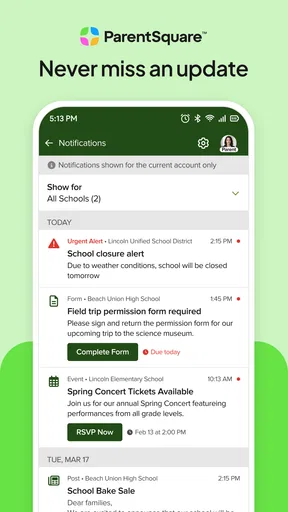
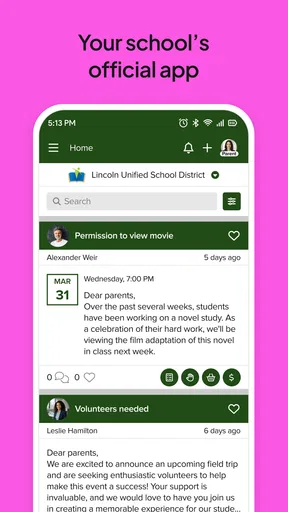
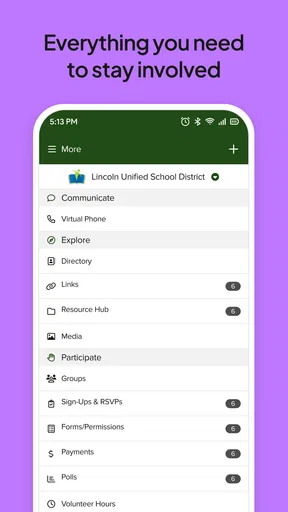
The app offers a clean, user-friendly interface that’s as easy to navigate as your favorite social media platform. From the moment you open it, you’re greeted with a dashboard that displays all your recent communications, upcoming events, and reminders. No more digging through emails or missed notes!
Features That Stand Out
One of the most impressive aspects of ParentSquare is its array of features designed to cater to the needs of both parents and teachers. Here’s a quick rundown of what you can expect:
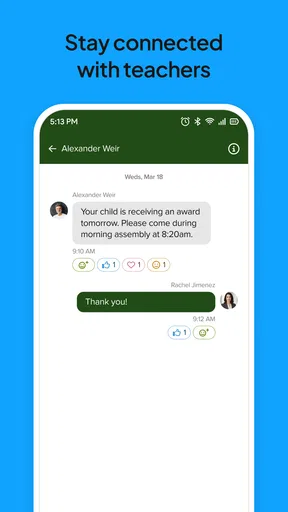
- Direct Messaging: Need to send a quick message to your child’s teacher or another parent? The direct messaging feature allows you to communicate efficiently without the formality of email.
- Event Calendar: Say goodbye to forgotten school events. The integrated calendar helps you keep track of important dates, from school plays to PTA meetings.
- Photo Sharing: Want to see highlights from the latest school event? Teachers can share photos directly through the app, keeping you in the loop with your child’s activities.
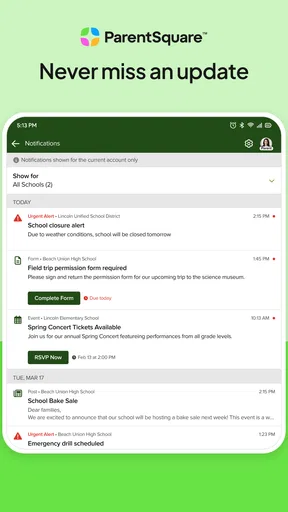
- Forms and Permission Slips: Filling out forms has never been this easy. ParentSquare digitizes the process, allowing you to complete and submit them right from your phone.
Why Parents Love It
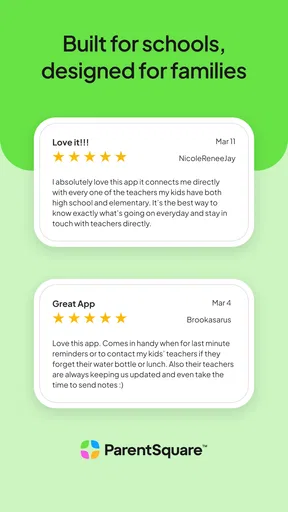
As a parent, the demands of keeping up with school communications can feel overwhelming. But with the app, everything becomes more manageable. The app sends notifications directly to your phone for any updates or messages, ensuring you never miss out on crucial information.
What I personally love about the app is how it fosters a sense of community. You can participate in school discussions, volunteer for events, and connect with other parents with just a few taps. It truly bridges the gap between home and school, making you feel more connected to your child's education.
For Teachers and Administrators
Teachers and school administrators aren’t left out of the equation. ParentSquare offers tools to make their lives easier too. From sending bulk messages to specific classes to managing volunteer sign-ups, the app is a powerhouse for educators looking to enhance communication and engagement.
The analytics feature is particularly noteworthy – teachers can track who has viewed their messages and follow up with those who haven’t. This ensures that no student or parent misses out on important information.
Ease of Use and Accessibility
One of the biggest concerns with any app is ease of use. Thankfully, ParentSquare excels here. The app is available on both Android and iOS platforms, and it’s free to download. The initial setup is straightforward, and the interface is intuitive enough that even the least tech-savvy users can navigate it without a hitch.
ParentSquare is an education app developed by ParentSquare. It is free, rated for Everyone, and has an average rating of 4.4 from around 43,000 ratings, with over 1 million installs. Its release goes back to January 31, 2015, and version 2.109.0 is the current version. Those figures suggest an established product with a substantial user base, though the day-to-day usefulness still depends on how actively a particular school uses it.
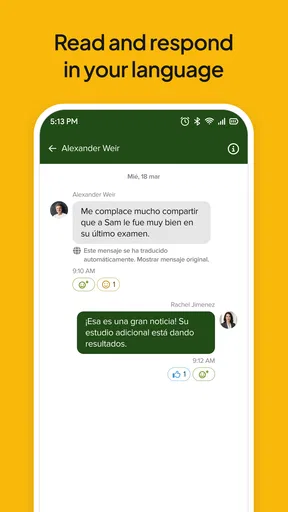
Another huge plus is the app’s ability to translate messages into multiple languages, breaking down language barriers and ensuring that all families can stay informed, regardless of their primary language.
Final Thoughts
In a world where effective communication is key, this school communication app truly shines. It’s a well-thought-out app that addresses the pain points of school communication, making life easier for parents, teachers, and administrators alike.
Whether you’re looking to stay on top of school events, communicate more effectively, or simply feel more connected to your child’s academic world, I think it is worth considering when your school uses it. I would not ask it to replace every existing school system, but as a shared place for family-school updates, it can make routine coordination feel much less scattered. The version history and continued current release point to a product that has evolved over time; for existing users, I’d watch how the school’s own communication practices develop, since those choices shape the experience as much as the app itself.
Pros
- Intuitive interface simplifies navigation.
- Real-time updates keep parents informed.
- Secure messaging ensures privacy.
- Integrated calendar for easy event tracking.
- Available in multiple languages.
Cons
- Limited customization for notifications.
- Some features require premium subscription.
- Occasional syncing issues with calendars.
- User interface can be cluttered.
- No offline mode available.
FAQs for ParentSquare
What is ParentSquare and how does it work?
ParentSquare is a comprehensive communication platform designed for schools to facilitate effective communication between educators, parents, and students. It offers features like messaging, announcements, scheduling, and forms. Users can receive updates via email, text, or app notifications, ensuring everyone stays informed about school events and student progress.
Is ParentSquare free to use for parents and students?
Yes, ParentSquare is free for parents and students. Schools or districts typically handle the subscription and setup costs. Parents and students can create accounts at no additional cost to access messages, alerts, and other features provided by their educational institution.
How secure is the information shared on ParentSquare?
ParentSquare prioritizes user privacy and data security. The platform employs encryption and adheres to strict data protection guidelines. It complies with regulations like FERPA to ensure that sensitive information, such as student data, is securely handled and accessible only to authorized users.
Can ParentSquare be accessed on multiple devices?
Yes, ParentSquare is accessible on multiple devices. It offers a user-friendly app for both iOS and Android, along with a web-based platform. This flexibility allows users to stay connected and informed whether they’re on a smartphone, tablet, or computer.
What kind of support and resources are available for ParentSquare users?
ParentSquare provides extensive support and resources, including online help guides, video tutorials, and a responsive customer support team. Schools typically offer training sessions to help parents, students, and teachers effectively use the platform, ensuring a smooth communication experience for all users.


